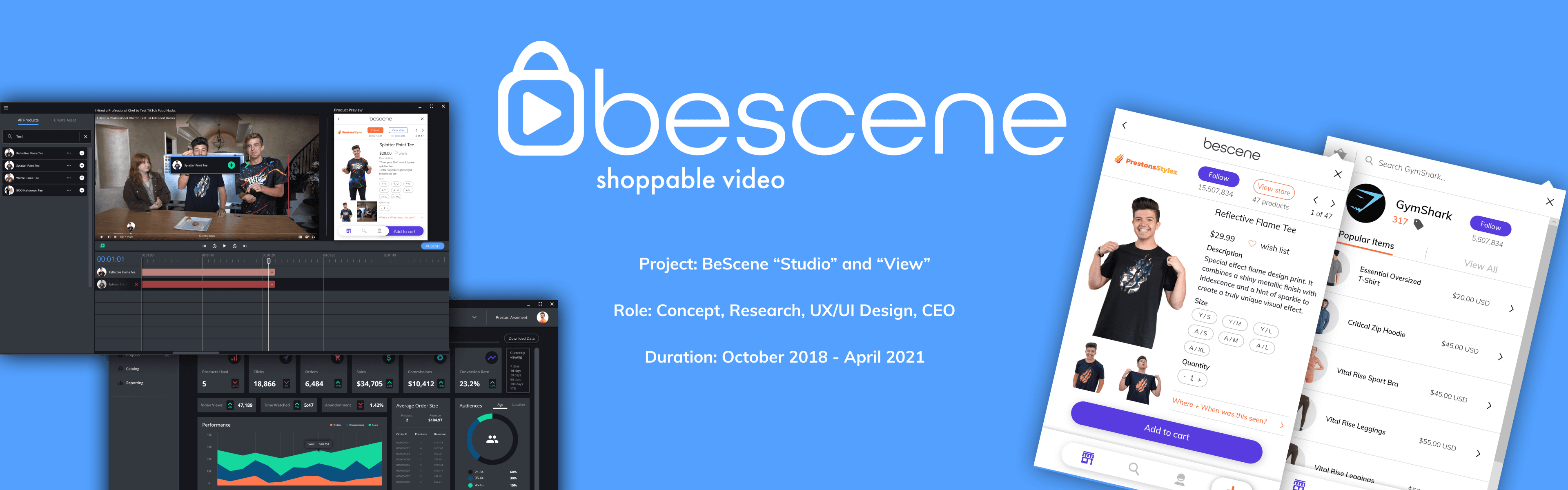
BeScene · B2B
BeScene Studio
Make your videos shoppable!
Project Background
Video is the fastest growing and most engaging form of content, but brands are limited in how they can capitalize on this.
So, why can't you shop directly from the videos you watch?
As a solution, we simultaneously created two proprietary software applications, “Studio” and “View”, that work together to make video content shoppable!
Design Challenges
Challenge 1
Empower users to create video projects from existing links or original video files.
Challenge 2
Provide an intuitive video editing platform where products can be tagged and shoppable within video content.
Challenge 3
Offer publishing options where completed video projects can be uploaded to various streaming platforms in app.
Challenge 4
Create a reporting dashboard where users can track the conversion and sales performance of the shoppable products in their videos.
Kickoff
The venture started with the idea to create a plugin for Netflix that allows viewers to purchase items while they watch.
We leaned heavily into UX research to understand the media and eCommerce industries. This included:
Moderated and unmoderated surveys.
1:1 usability and empathy interviews.
Moderated focus groups.
Guided usability studies at the higher fidelity stages of product development.
Key Research Questions
After some time, we weren't gaining traction with streaming platforms, so we pivoted to create our own shopping plugin that would run on top of existing streaming services.
How do viewers want to interact with the products they see in the videos they watch?
What product details are needed to move a viewer from browsing to purchasing?
How do we connect with streaming services and work with them to integrate with their platforms?
How will products be sourced and paired with the right video and timestamp?
How will performance of conversions and sales be tracked?
Competitive Analysis
Finding competitors to BeScene was a challenge. Competitors built in stealth mode, which made them hard to find. Shoppable video was a new concept, so research and discovery was ongoing.
The shoppable video space is still quite new to North America, even though it has grown a lot since BeScene. The following are a few competitors to both of BeScene's software products.
Competitors


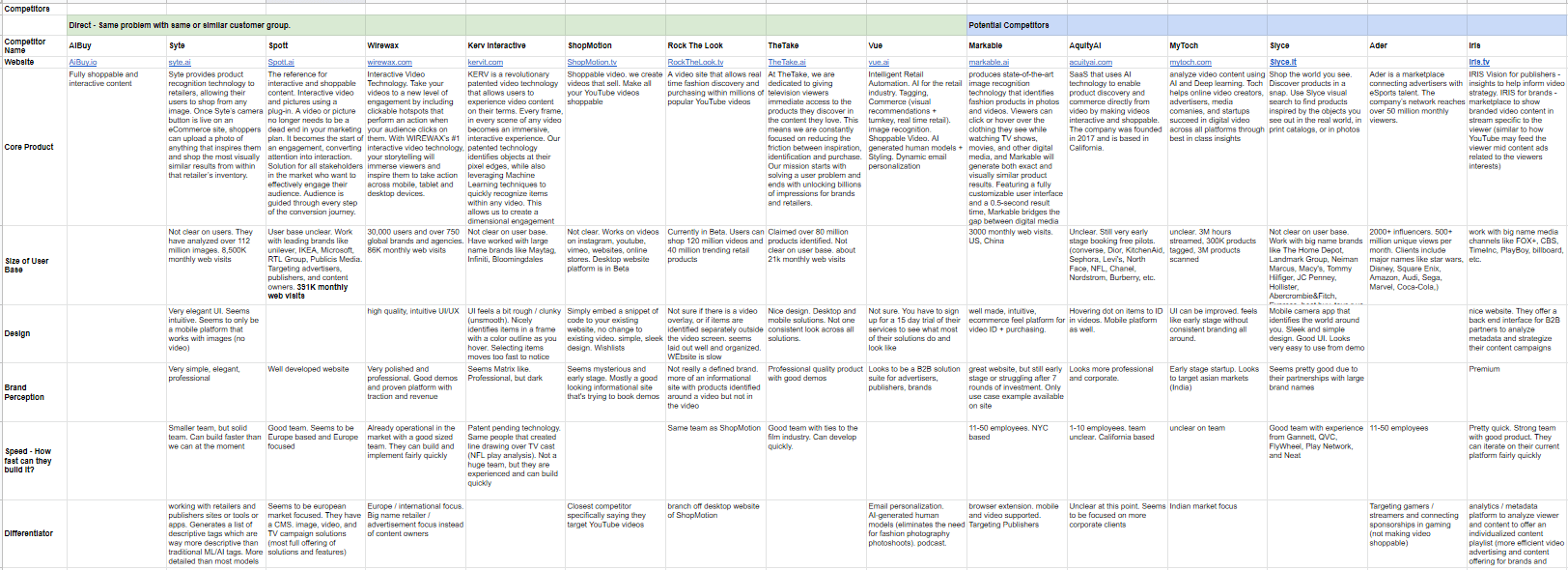
I created a spreadsheet to organize and keep track of the competitive landscape over time. Many players came and left the market, while others had many iterations of their product offering.
Some players had similar product offerings to BeScene, but catered to different geographical regions like India or China. I even kept tabs on ventures that didn't directly compete, but had an interesting product that could potentially pull market share from BeScene.
Differentiators
Artificial Intelligence
AI that auto identifies and tags products within a video. When a user creates a new video project, “Studio” would analyze the video to find products and attempt to auto tag them. The user would be required to manually approve or edit the tags before publishing.
Performance Dashboard
A detailed dashboard that allowed the user to track sales and conversion performance for their account and on a per product basis.
Meet the Users
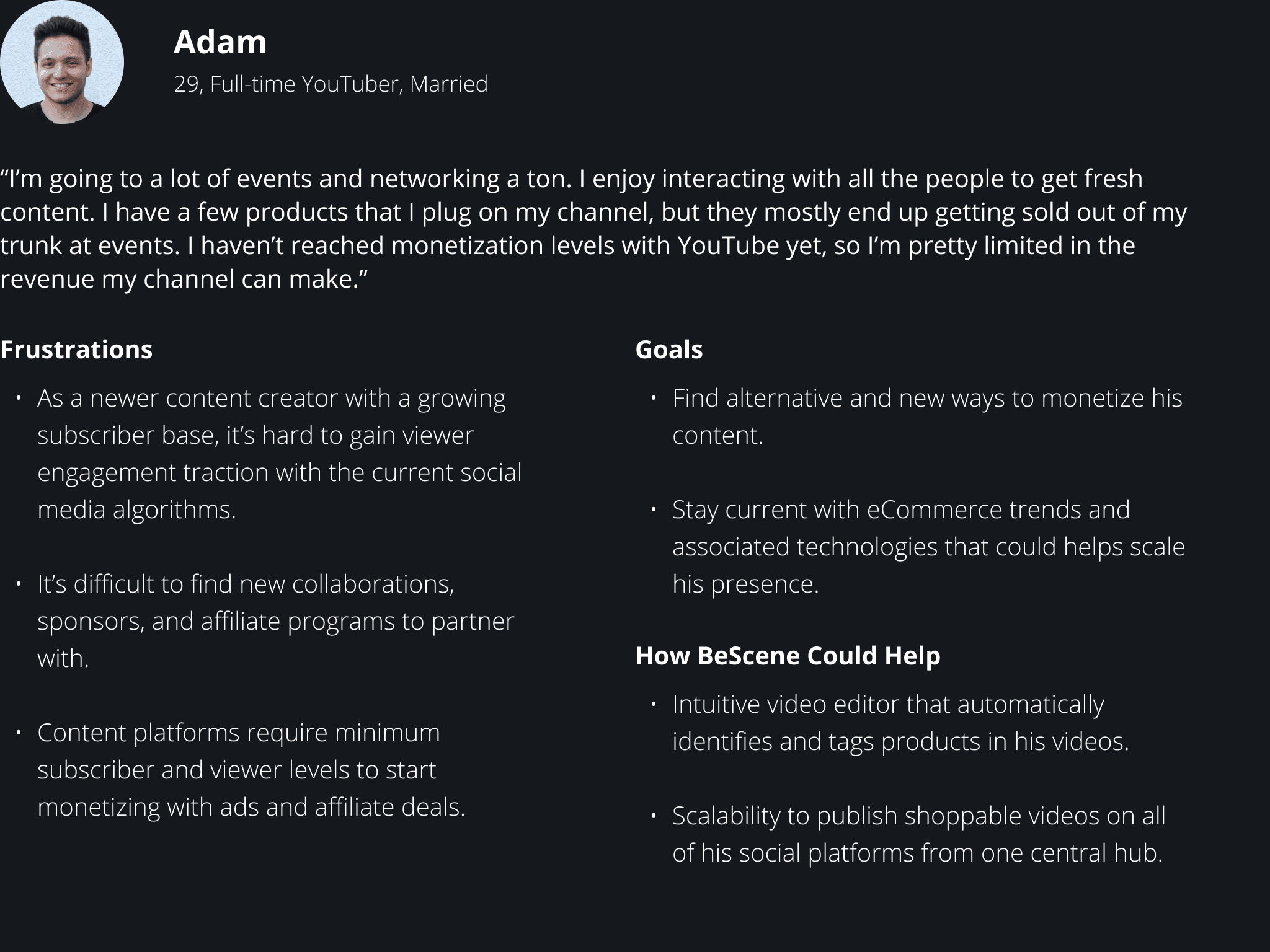
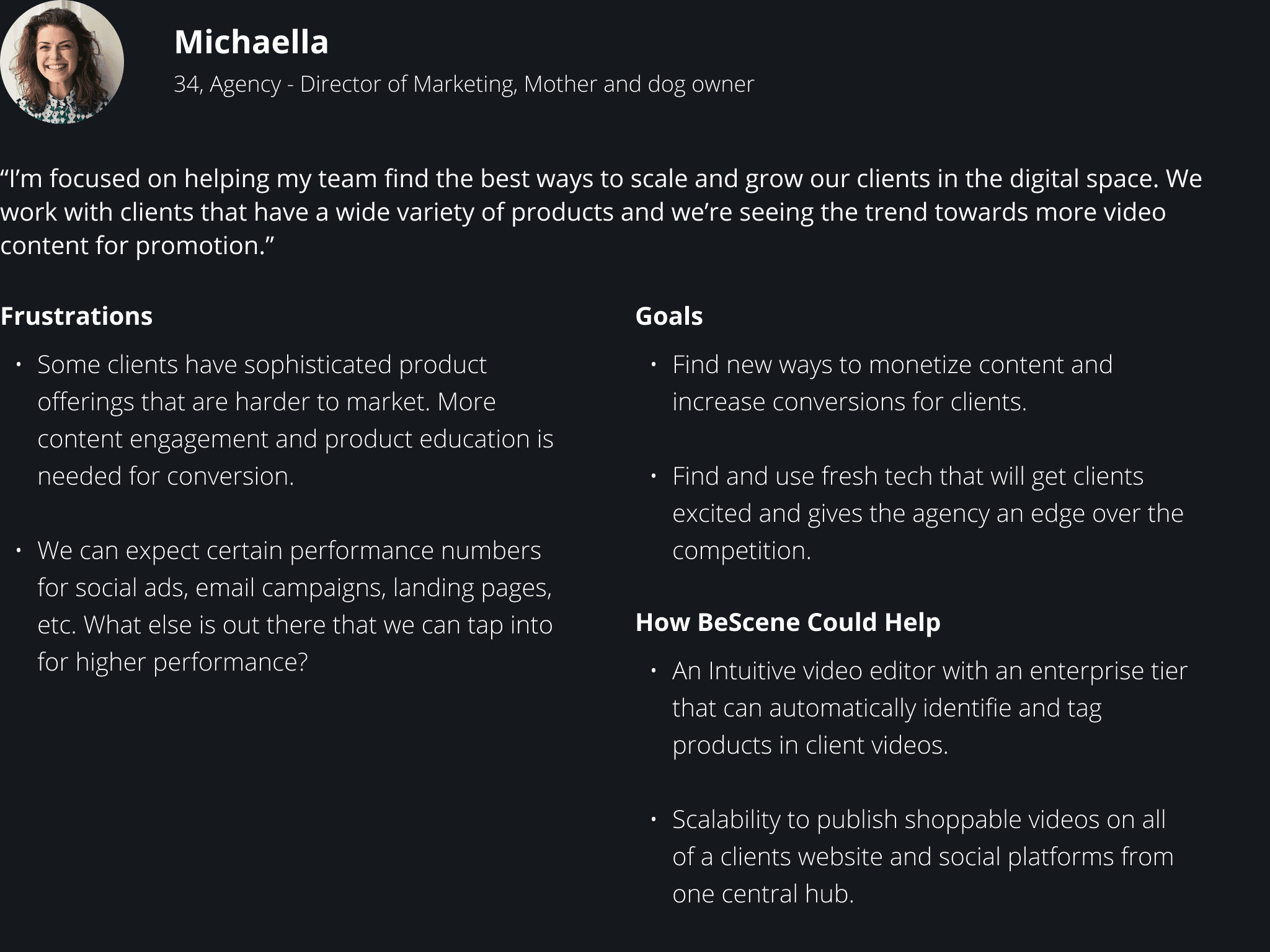
These personas were developed from many conversations with stakeholders, prospective customers, and beta testers. Condensing down to these personas helped me imagine possible use case scenarios that could be encountered by BeScene's users. This provided clarity about user pain points, and helped me keep them in mind when brainstorming and designing solutions.
Information Architecture
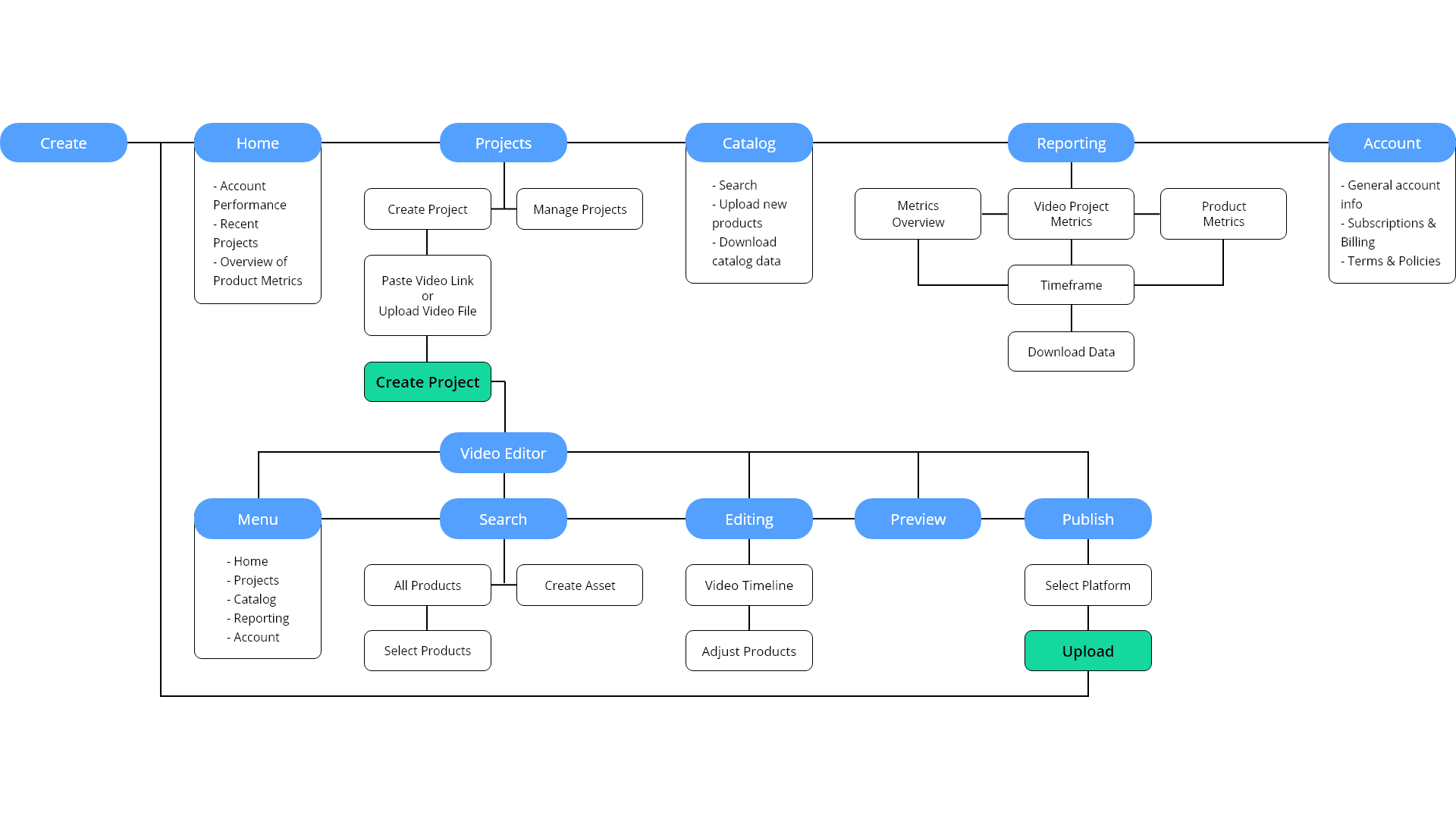
The IA for Studio was well known from a very early stage in development. Conversations with stakeholders outlined that our key features should include an overview page, video project creation and management, a searchable product catalog, a performance dashboard, and account management.
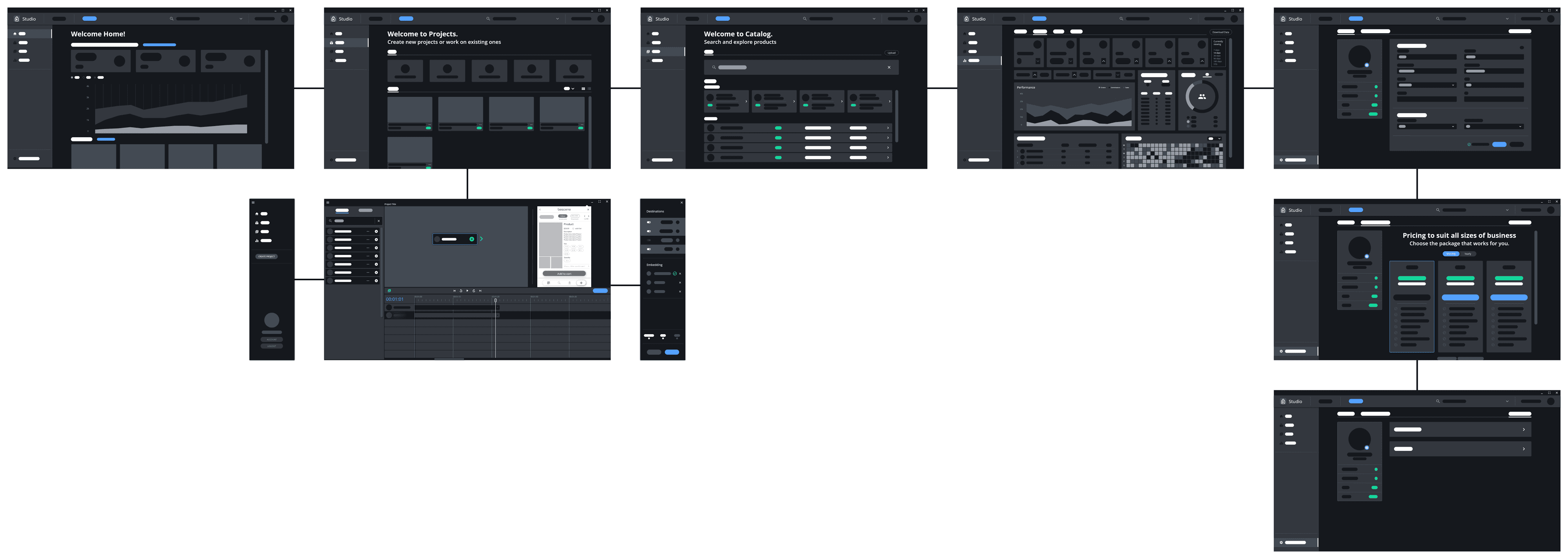
The goal path of the user journey is to create a new video project, tag products that will become shoppable within that video, then publish the shoppable video to the streaming platform(s) of choice.
Wireframing
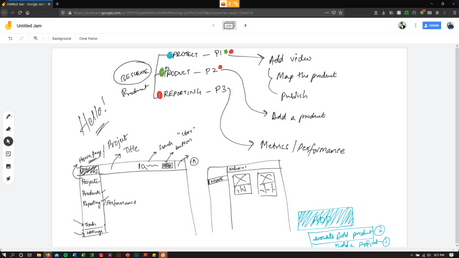
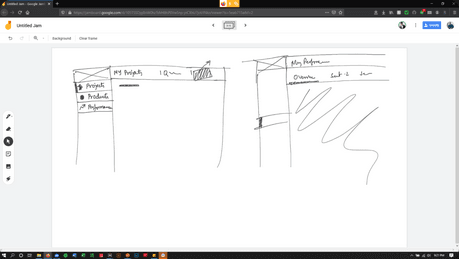
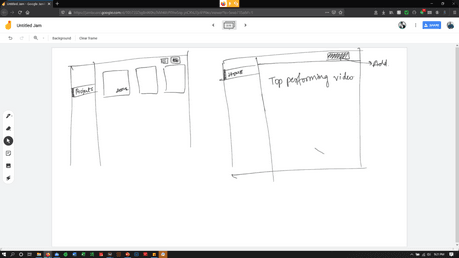
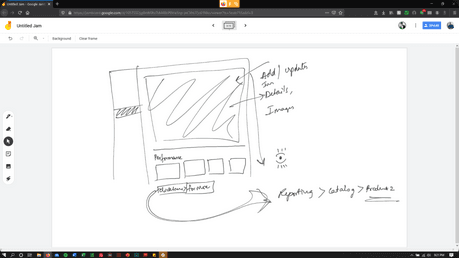
Armed with the initial ideas of what features should be included within “Studio”, we conducted a team brainstorm and sketch session to get a better sense of how the app would look and function for users.
Mock-ups & Style Guide
Low Fidelity Mock-ups
After multiple rounds of Lo-Fi iteration, the wireframes were converted into the following mock-up. This design is what ultimately moved on to high fidelity.
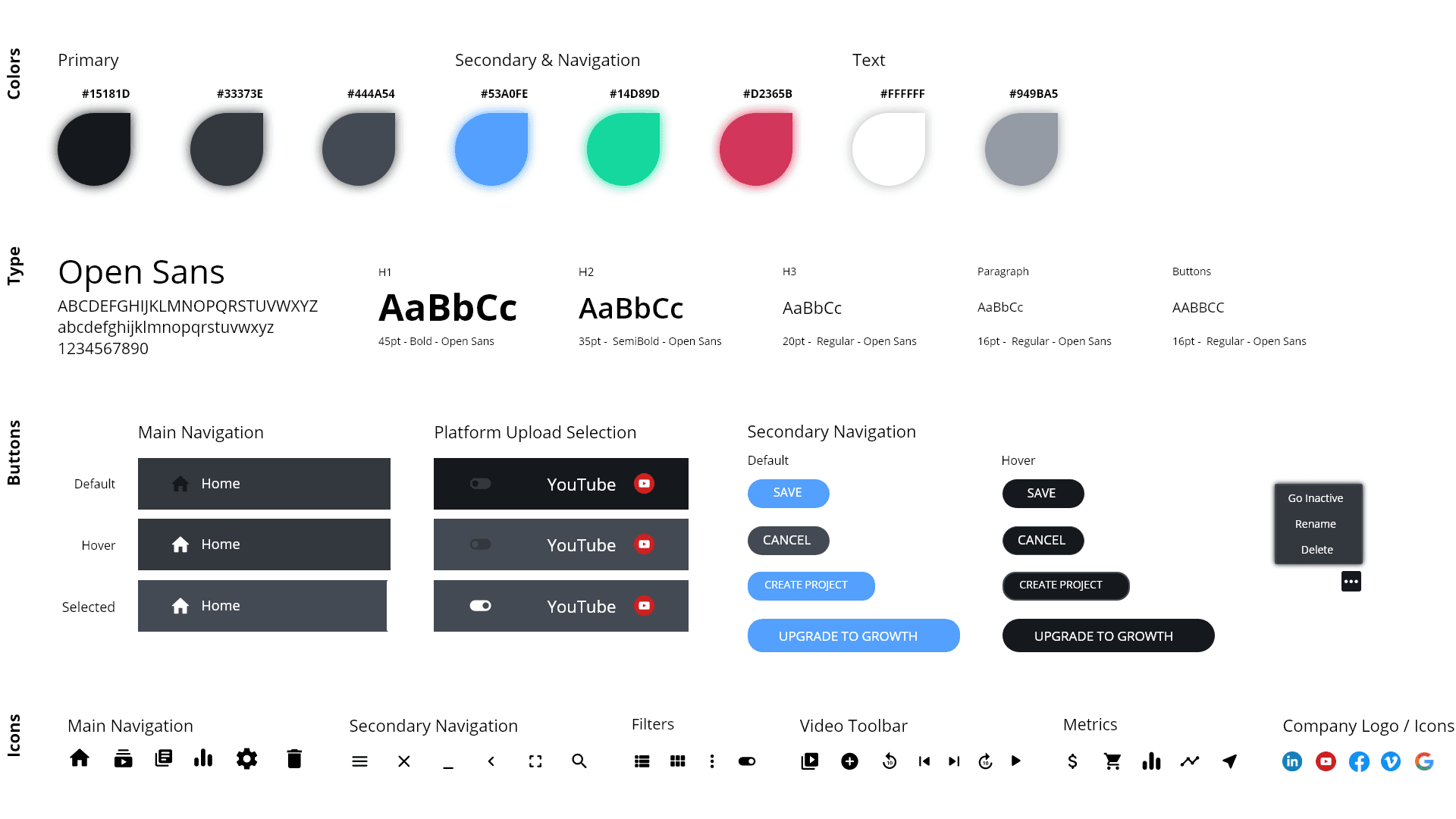
Style Guide
“Studio” drew inspiration from existing video editing software like Adobe Premier Pro, Apple's iMovie, Movavi, and DaVinci Resolve.
A dark primary color palette was chosen to keep focus on the video content that a user interacts with. Meanwhile, secondary colors and accents were inspired by the basic colors for video projection (red, green, and blue). White and bluish/grey shades were used to contrast the copy against the darker background.
The modern type of “Open Sans” was selected for its clarity and modern feel.
High Fidelity Mock-ups
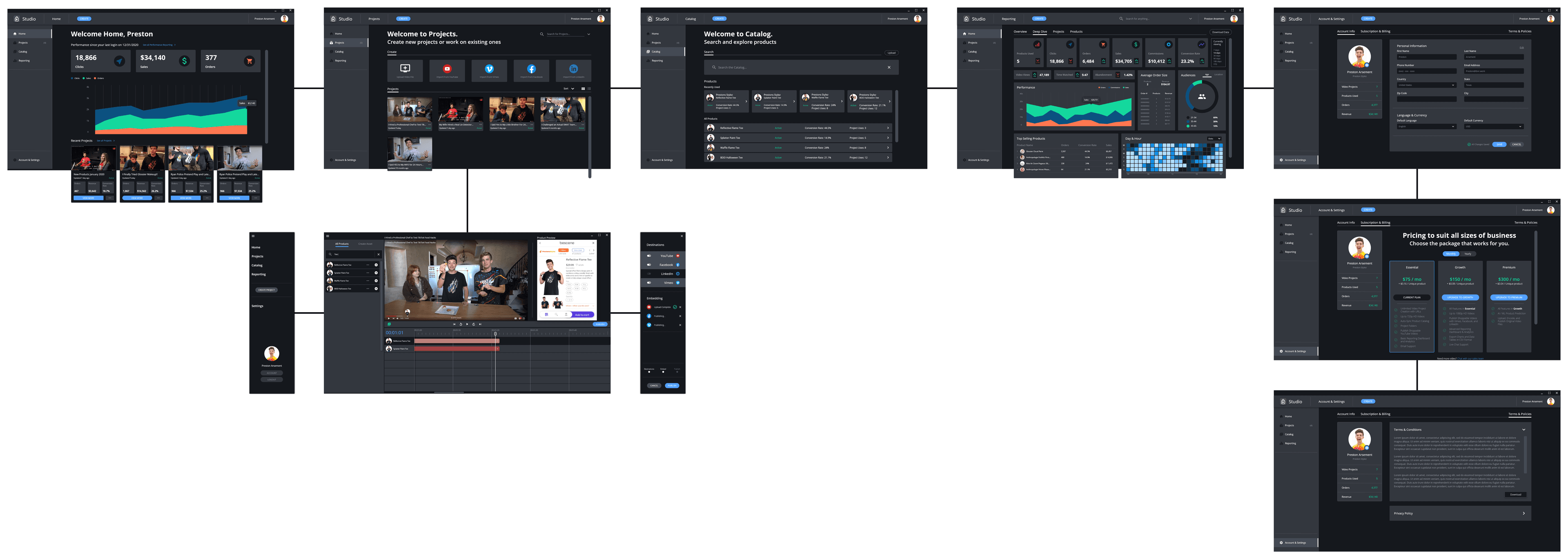
By applying the design system and style guide above, the low fidelity mock-ups became what's seen here. These designs were ultimately used for prototyping, user research, and handed off to team developers for code up and beta testing.
Accessibility Considerations
- High contrast colors are used between the background, text, and buttons in consideration of users with limited visual abilities.
- Screen reader accessibility is always kept in mind with the use of alt text for imagery.
- Visual hierarchy is used throughout the app with use of clear headings and dividers within various sections.
Hand-off with Development
- File names, layer names, and screen names are always aligned with each other and kept simple.
- Mockups are packaged together to best show and understand the user journey.
- I discuss fidelity and feasibility of all designs with developers.
- I share visual style guides, grid systems, annotations, and documentation with all deliverables.
- I maintain an agile project management style checklist of all use cases, features, and user flows to be designed and delivered.
- I keep communications and ongoing collaboration as a top priority.
Design Iteration
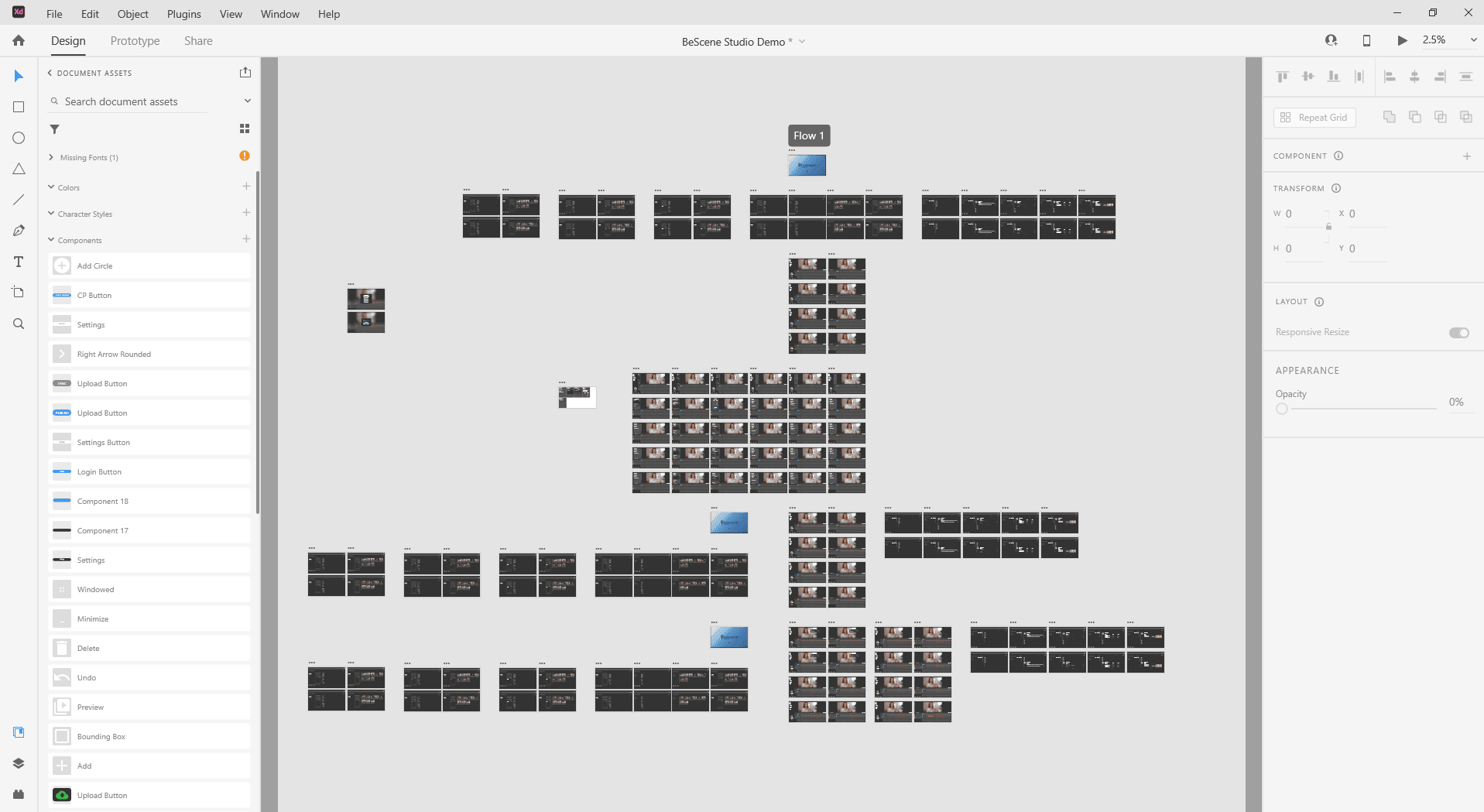
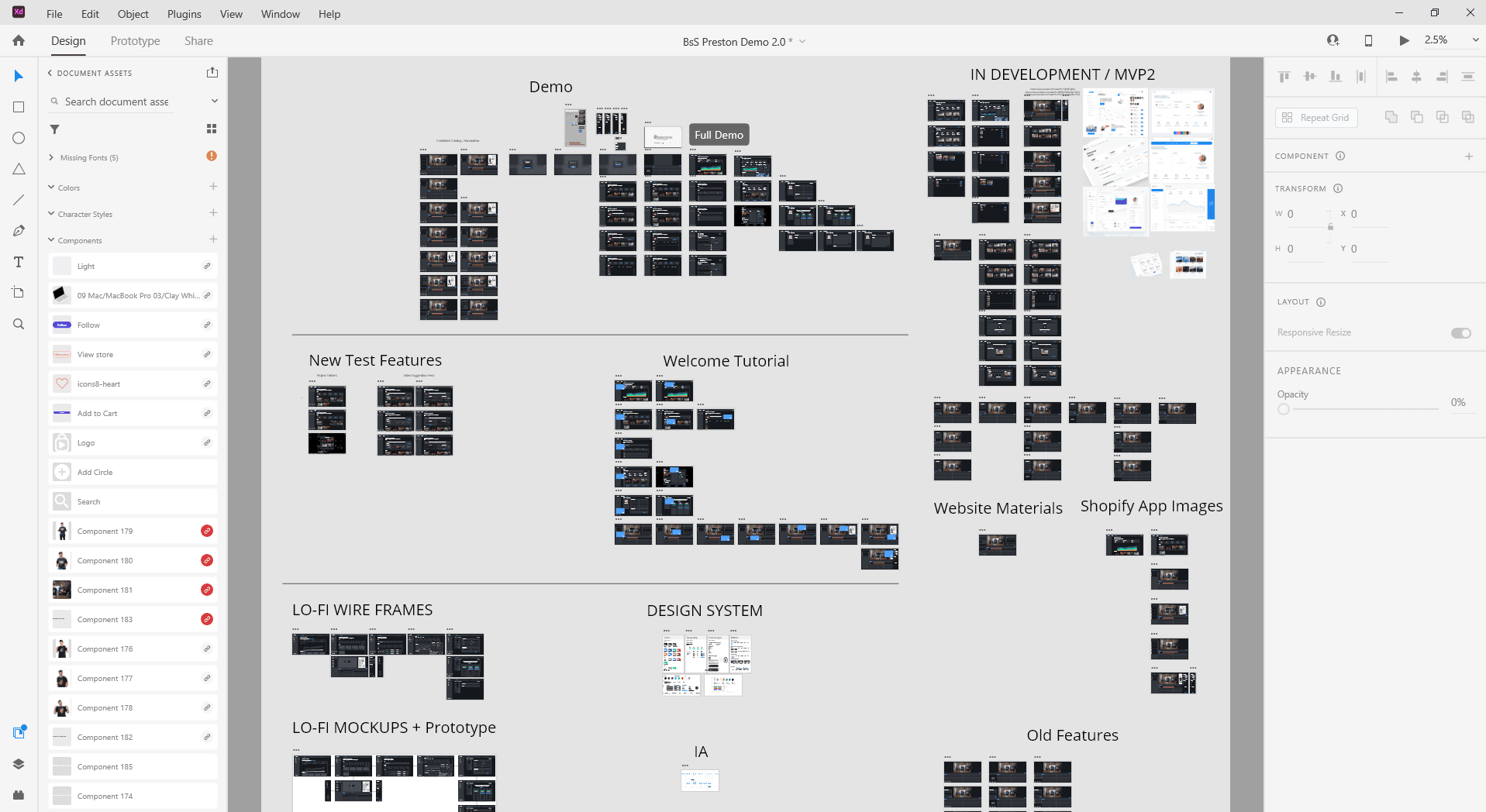
Studio went through a few iterations before reaching a final design for development and beta testing.
Early to final file design
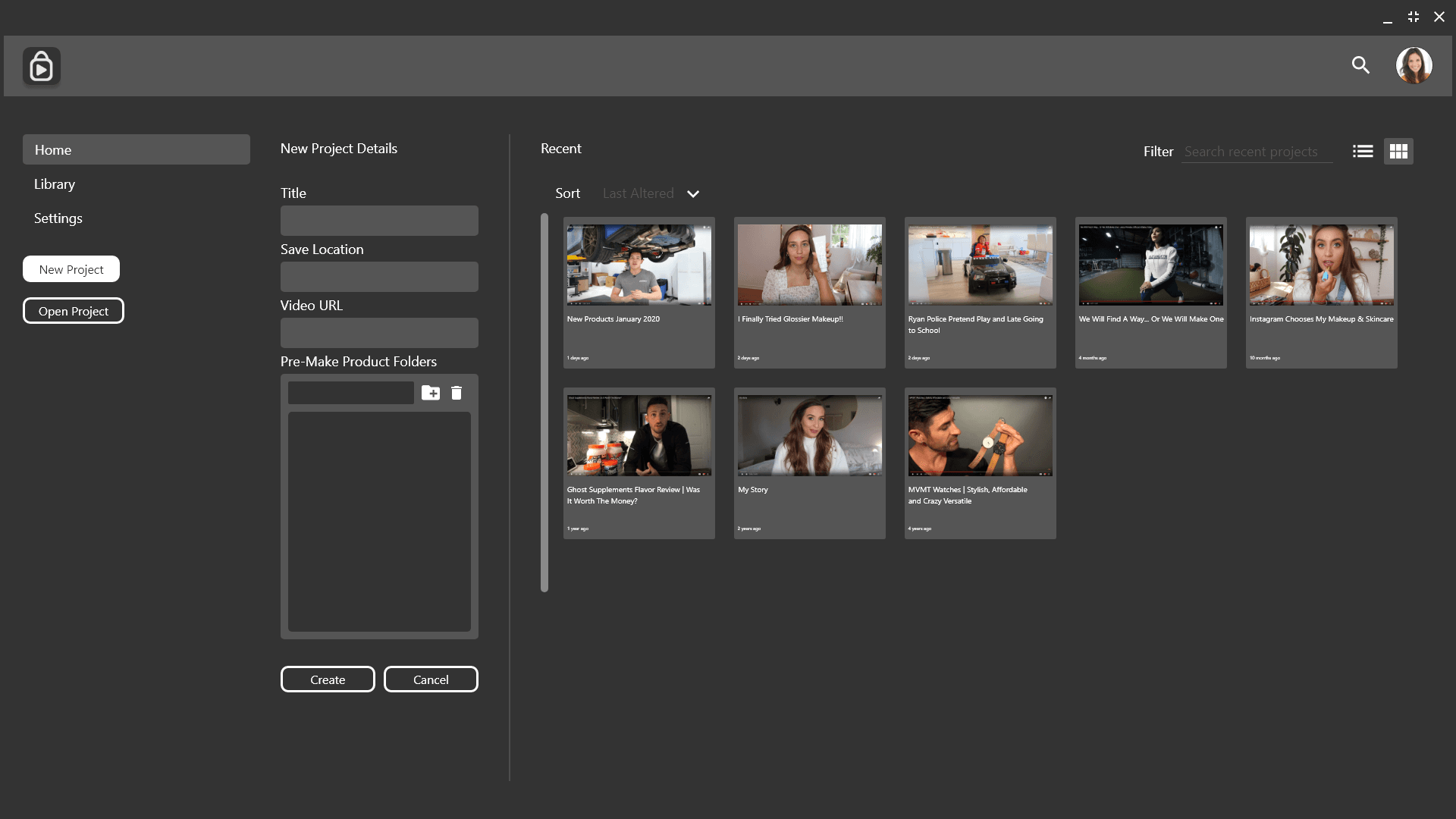
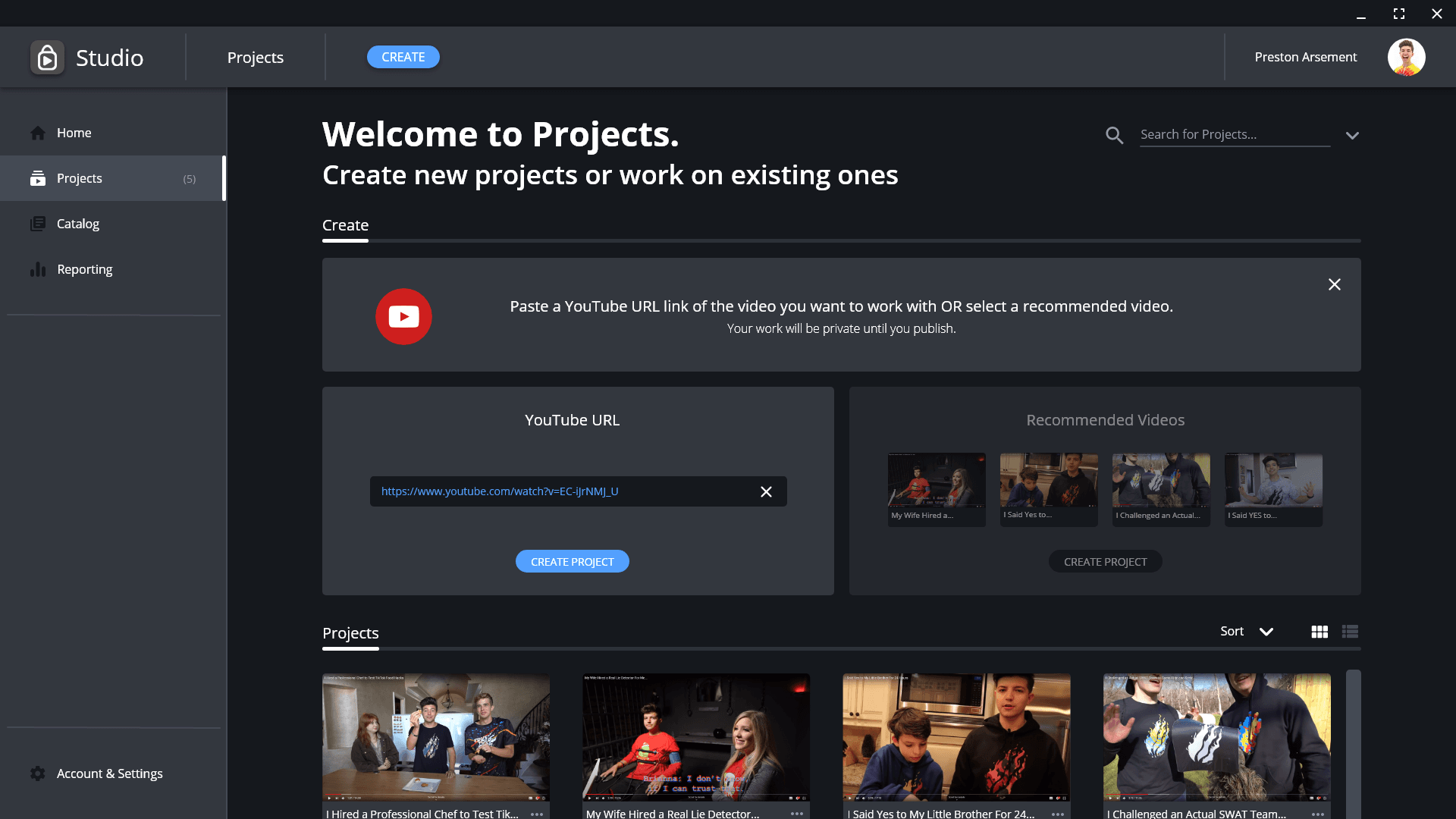
Evolution of project creation & management
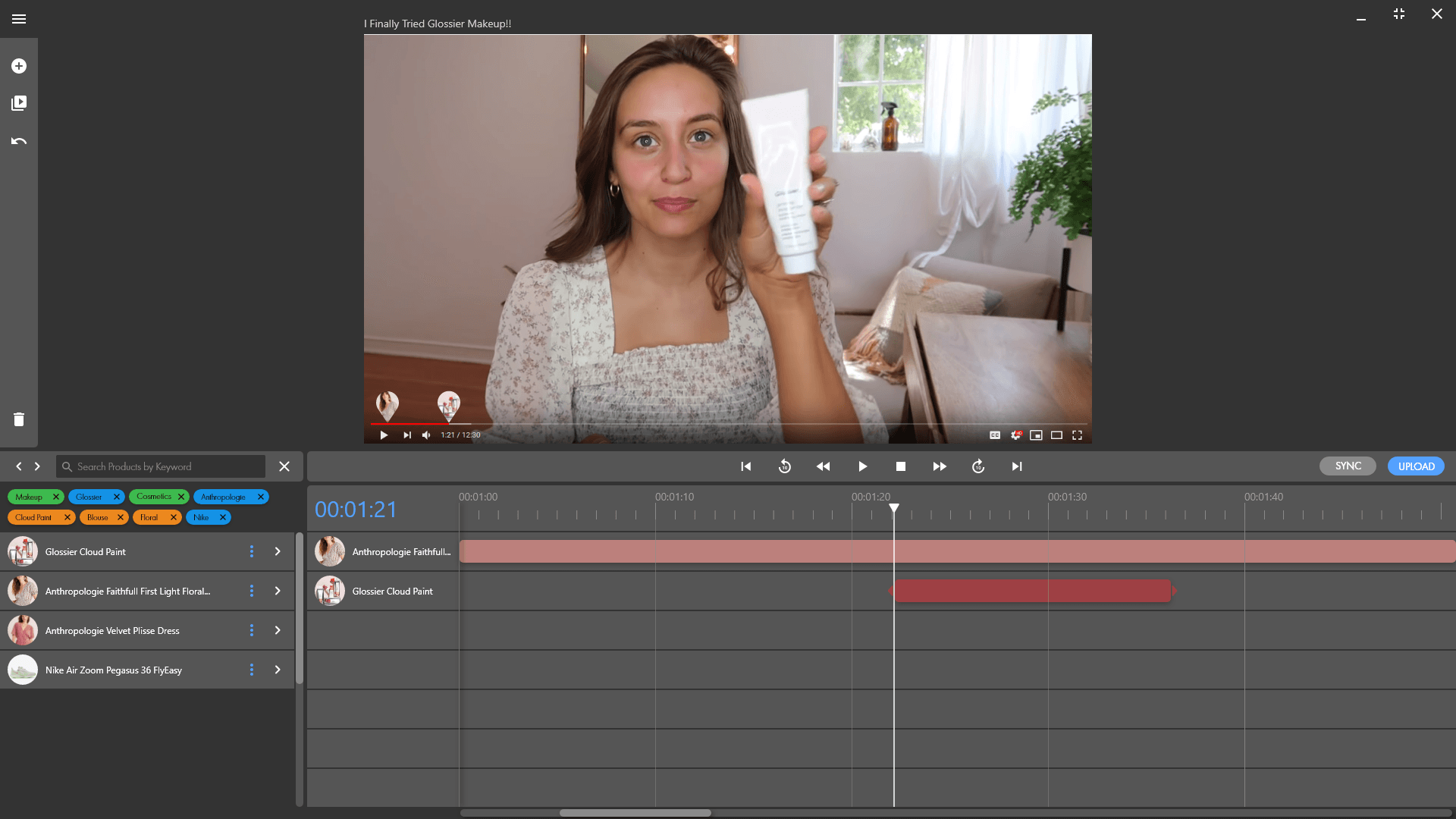
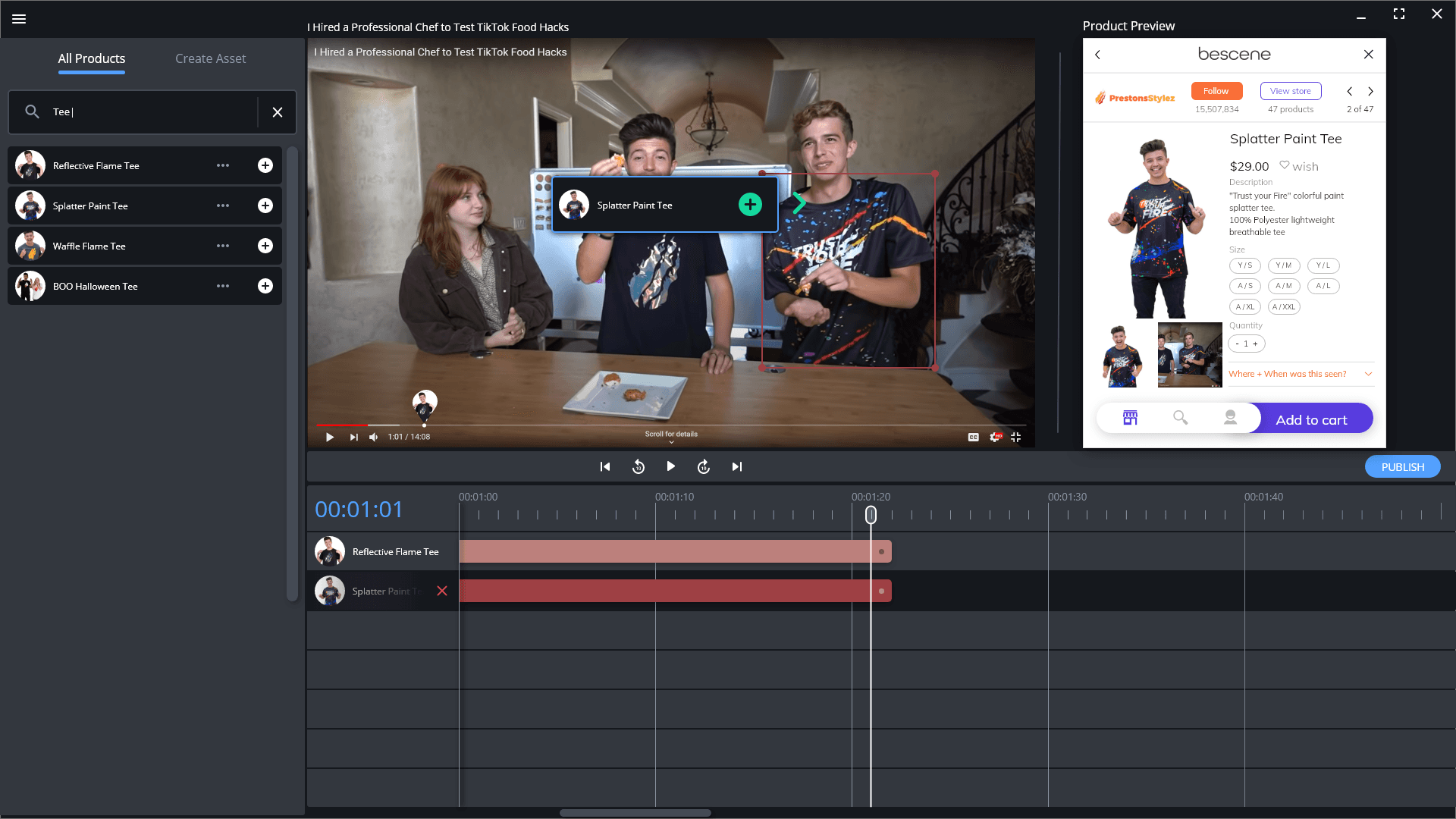
Evolution of video encoding
Key Solutions to Design Challenges
User testing methods to drive key solutions consisted of product demos with stakeholders, unmoderated usability testing of prototypes for feedback, and weekly design critique sessions with BeScene's development team.
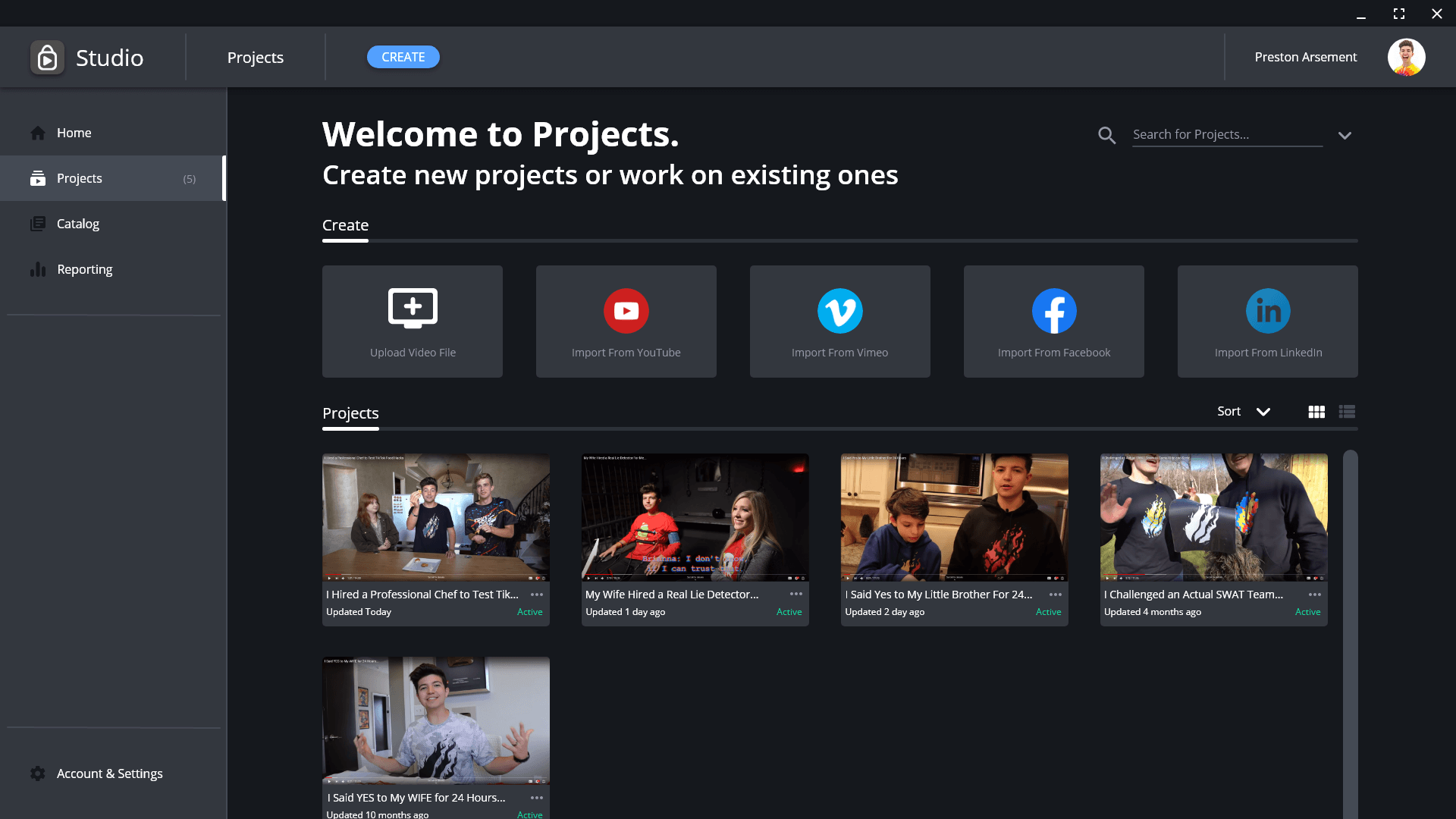
Challenge 1 — Video Project Creation
“Studio” empowered users to easily create new shoppable video projects from existing video links or original video files.
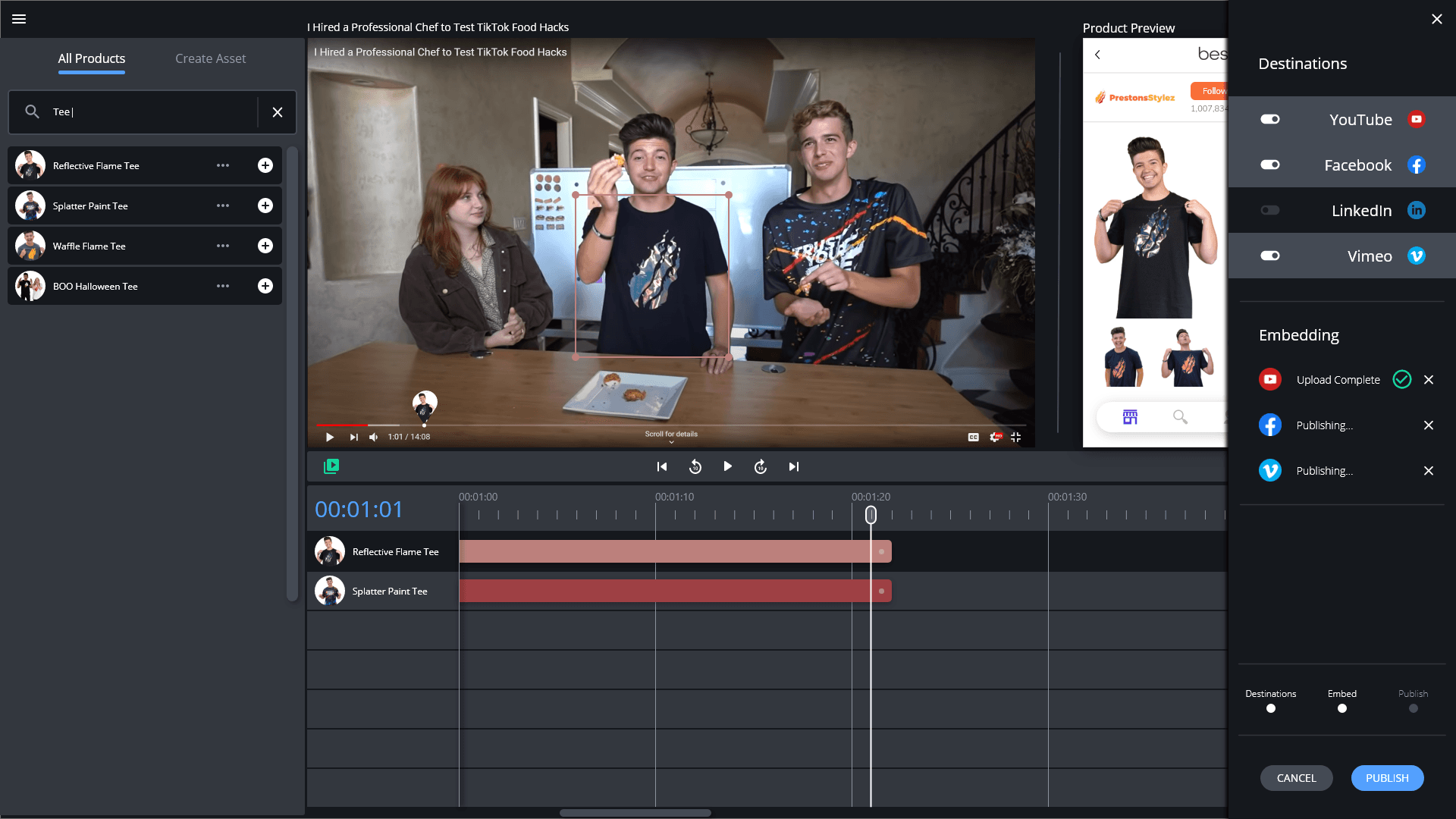
Challenge 2 — Tagging Products in Video
The video editor provided an intuitive experience where products could be tagged directly to video content. Users were able to search through their existing product catalog or create new assets to tag to their video. Tagging a product was as simple as drag and drop.
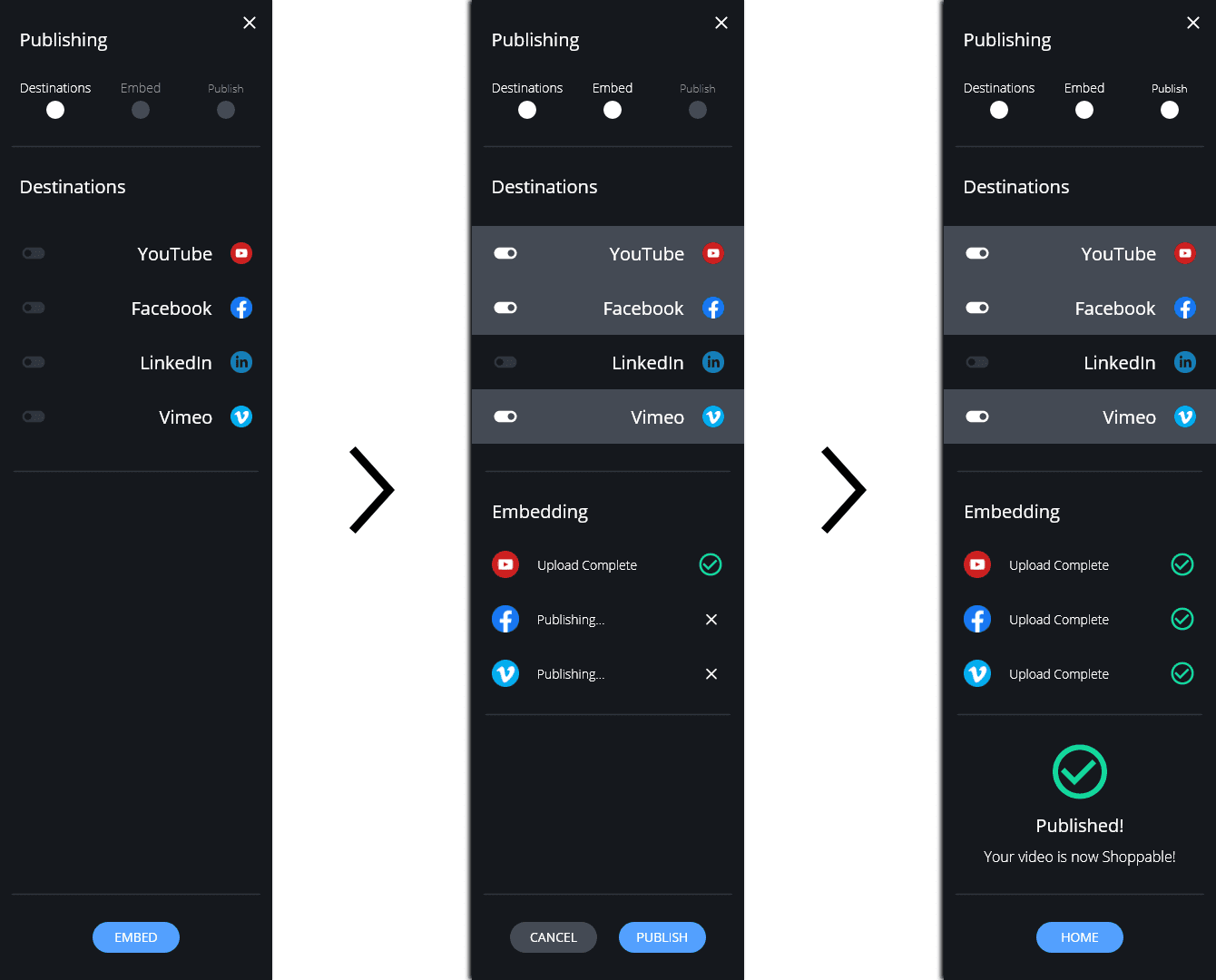
Challenge 3 — Publishing a Shoppable Video
Provide publishing options where users can upload completed videos to various streaming platforms directly in the app.
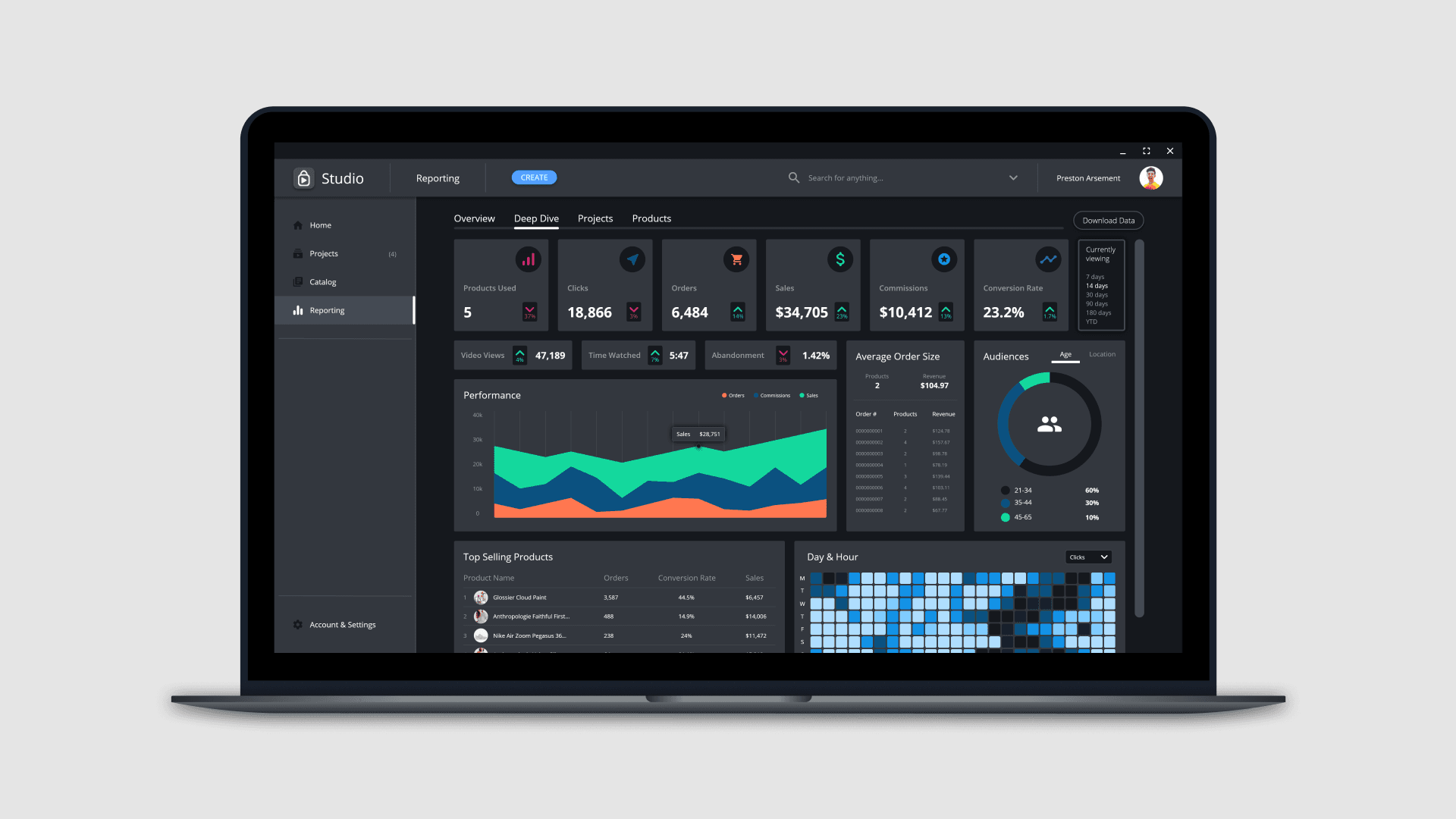
Challenge 4 — Performance Monitoring
Users needed a central hub to review, track, and download the conversion and sales performance of the product in their videos.
What Would Be Next?
More User Testing
Unfortunately, “Studio” was not tested beyond private installation with a handful of Shopify stores, live prototype demos, and non-moderated usability studies. People have an overall positive and intuitive sentiment towards “Studio”. However, we were not able to reach full product launch and convert to paying clients.
Had development continued, we would have conducted further testing in the core feature set of video project creation. Additionally, more user engagement would be key to validate secondary feature sets and dashboard metric tracking.
Measuring Success
If “Studio” were to be completely developed and shipped into the market, we would track a lot of metrics including:
- Installs
- Total accounts created
- Monthly active users
- Average monthly video projects created
- Total video projects created
- Number of products imported
- Total product tags
Overall Takeaways
In the end, a perfect storm of events led to a team decision to close the doors on BeScene.
In this experience, I taught myself to create with design programs like Adobe XD, Illustrator, InDesign, and Figma. I mocked up and prototyped countless variations of features and screens, ran weekly design reviews with my team and stakeholders, managed sprints via Trello project management boards, and worked directly with my development team to create MVPs from my designs.
BeScene was perhaps the best thing to professionally happen to me. I had become the sole product designer of this venture out of necessity and curiosity to explore an unknown skill set. Little did I know at the time that a curiosity for design would help me discover that it's my true passion and career focus.